Snapshots stay inside the Chrome profile unless the user exports a JSON file.
Chrome crash recovery utility
Restore the Chrome window you just lost.
Session Rescue saves explicit local snapshots of open windows, then restores the tabs or exports a portable JSON backup from the same Chrome profile.
No backend
Local IndexedDB
JSON export
Local snapshot proof
MV3 v0.1.4
1. SnapshotManual capture from current Chrome windows
2. RestoreOpen saved tabs in a new focused window
3. ExportKeep a user-owned JSON backup
Recovered window
Research recovery sprint
- Project brief
- Release checklist
- Support queue
Restore new window
Export JSON backup
Restore receipt
- Saved tabs
- 5
- Stored in
- Chrome IndexedDB
- Recovered as
- Focused Chrome window
- Private by default
- No backend, no account
Permission scope sessions, tabs, storage
Data boundary local browser profile
Backup format portable JSON
Reviewer path reproducible smoke test
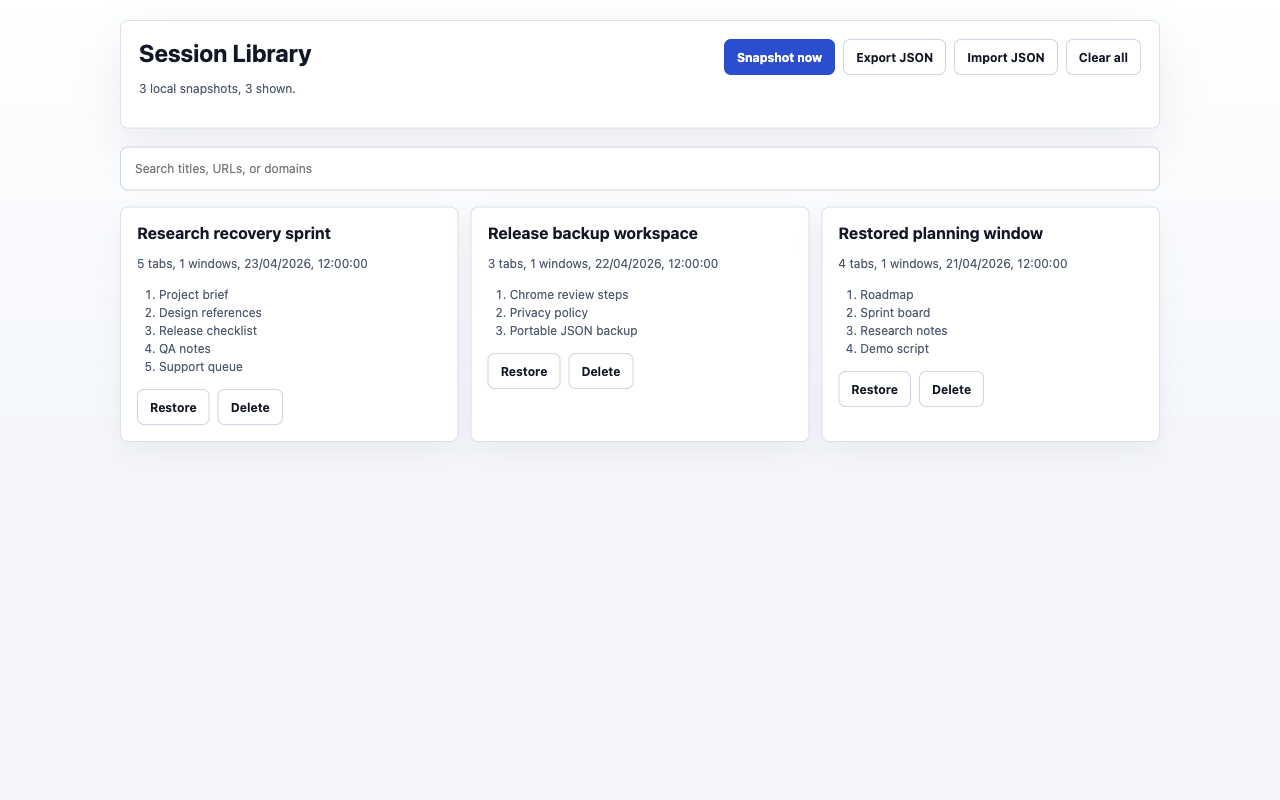
Actual extension UI
Recover a working context without sending session data away.
Session Rescue stores tab URLs, titles, window grouping, pinned state, and capture timestamps locally in the Chrome profile. It does not read page content, form fields, cookies, passwords, or account data.
Why the install is low-risk
Every trust claim maps to a shipped behavior.
Manual snapshot and restore actions show status so users can see what happened.
The reviewer page gives reproducible steps and shows the exact popup workflow.
Snapshot
Save restorable tab metadata from normal Chrome windows into local storage.
Restore
Open a saved session in a new window when a tab group or research context is lost.
Export
Keep user-owned JSON backups that can be reimported later.
Daily workflow
Built for repeat recovery, not one-time export.
Use the popup when context matters, then return to the library when you need to search, restore, delete, export, or reimport a saved session.
Manual snapshots are explicit. Autosave stays off until the user enables it.
Search saved sessions by title, URL, or domain without sending queries anywhere.
Open saved tabs in a new window and keep portable JSON backups under user control.